Free QR Code Generator Online: A Complete Guide
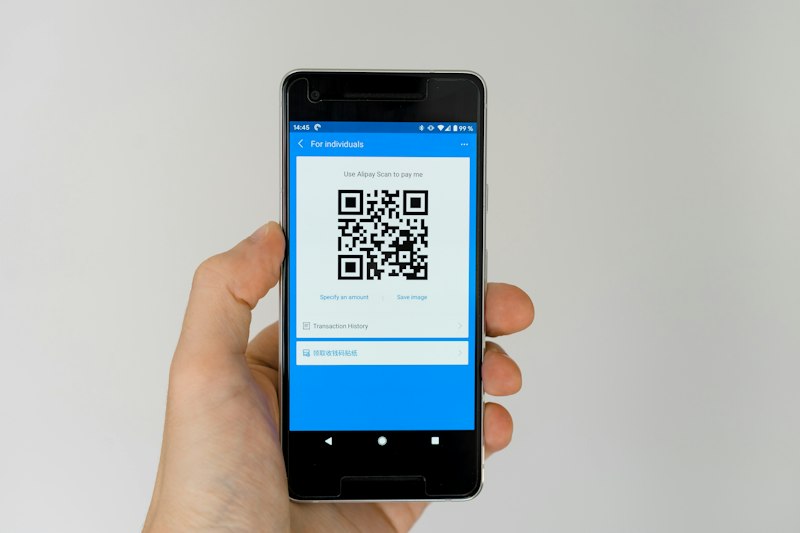
QR codes are everywhere. Business cards, restaurant menus, product packaging, event tickets, and storefront posters all use them. Creating one used to require design software or a paid subscription. Now you can generate one in seconds, for free, right in your browser.
This guide explains how QR codes work, what types of data they can store, and how to create one that works well for your specific use case.
What Is a QR Code?
QR stands for Quick Response. A QR code is a two-dimensional barcode that encodes data in a square grid of black and white modules. Unlike a traditional barcode that only encodes a number, a QR code can store URLs, plain text, contact information, WiFi credentials, and more.
Smartphones can scan QR codes using the built-in camera app on iOS and Android, no separate app required. The phone reads the code and takes the appropriate action: opening a URL, connecting to WiFi, adding a contact, and so on.
What Can a QR Code Contain?
Website URL
https://www.toolzgo.com
Link visitors to any page online
Plain text
Any text up to ~4000 chars
Instructions, codes, messages
WiFi credentials
Network name and password
Guest WiFi access without typing
vCard contact
Name, phone, email, address
Share contact info on business cards
Email address
Opens compose window
One-tap email to a specific address
SMS
Pre-filled phone and message
Click-to-text for support or sales
How to Create a QR Code for Free
Using the ToolzGo QR Code Generator:
- 1
Go to toolzgo.com/tools/security-tools/qr-code-generator-online
- 2
Choose the type of content: URL, text, WiFi, contact, or email
- 3
Enter your content in the input field
- 4
The QR code generates instantly as you type
- 5
Download as PNG or SVG for print and digital use
Print vs Digital: Size and Quality Tips
Error Correction: Why It Matters
QR codes have built-in error correction. This means a code can still be scanned even if part of it is covered, scratched, or printed poorly. There are four error correction levels: L (7%), M (15%), Q (25%), and H (30%).
A higher error correction level means the QR code can be read even if up to 30% of it is damaged. The trade-off is a denser, more complex pattern. For most online and print use cases, level M or Q is a good balance.
Frequently Asked Questions
Do QR codes expire?
Static QR codes (where the content is encoded directly) never expire. Dynamic QR codes that redirect through a third-party service may expire if the service stops working.
Can a QR code contain a virus?
A QR code itself cannot contain a virus, but it can link to a malicious website. Always check the URL before tapping a link from a scanned QR code.
How much data can a QR code hold?
Up to around 4,000 characters of text or about 7,000 numeric digits. The more data you encode, the denser and harder-to-scan the code becomes. For URLs, shorter is better.
Can I scan a QR code on screen without an app?
Yes. On iPhone, open the Camera app and point it at the code. On Android, use the Camera app or Google Lens. No third-party app is needed on modern phones.
Related tools: QR code scanner, UUID generator, and the full QR code generator, all free.
Create a QR code right now, free
Try QR Code Generator Free